Easy to activate Lasersoft 2D+ CAM(c)
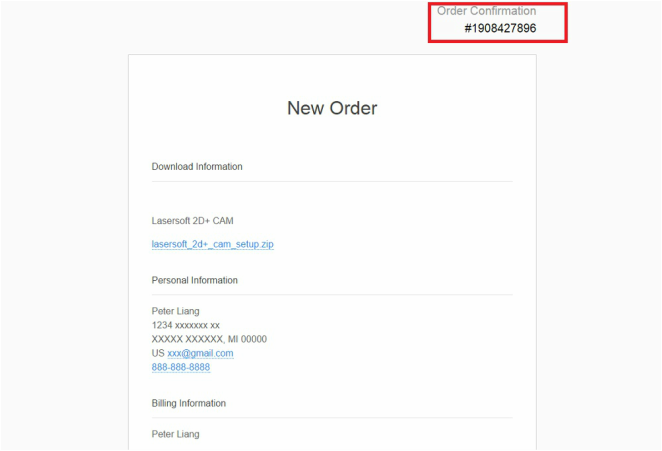
You will receive an invoice after completing the payment.
Step 2: Install and start Lasersoft 2D+ CAM(c). Click the button "Copy to Clipboard" or manually copy Serial Number and Machine Code in the activation form.
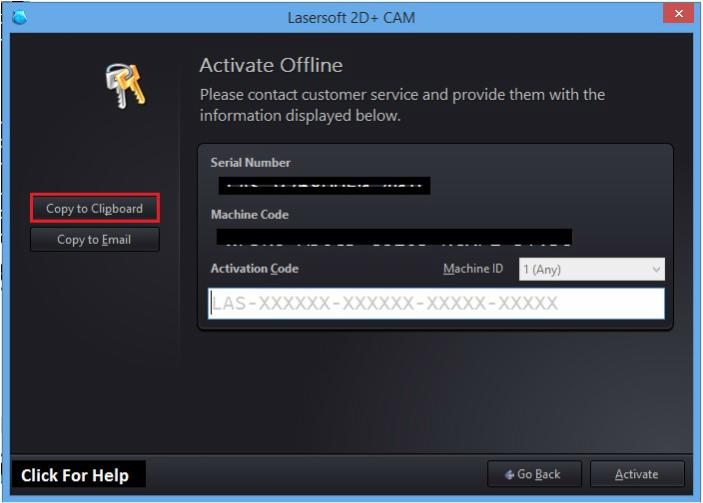
Step 3: Fill out the form and paste your machine information below.
|
|
Step 4: The activation code will be delivered to you ASAP after your information is confirmed. Please allow up to 1 day during on weekdays and up to 2 days if you are activating on the weekend.
Step 5: Paste the activation code into the text box and then click "Activate" to start the software.
*Note: If you fail to submit your machine code to us, please send it to our email [email protected] directly.
Feel free to contact with us. Welcome any question and suggestion. Thanks for choosing Lasersoft 2D+ CAM.